- 'Clear session & start fresh' revokes your session token on the server, not just a browser cookie
- Meant for a redirect loop, or to be certain a shared device is fully signed out
- A separate 'reset cookies' control exists for a different, unrelated error
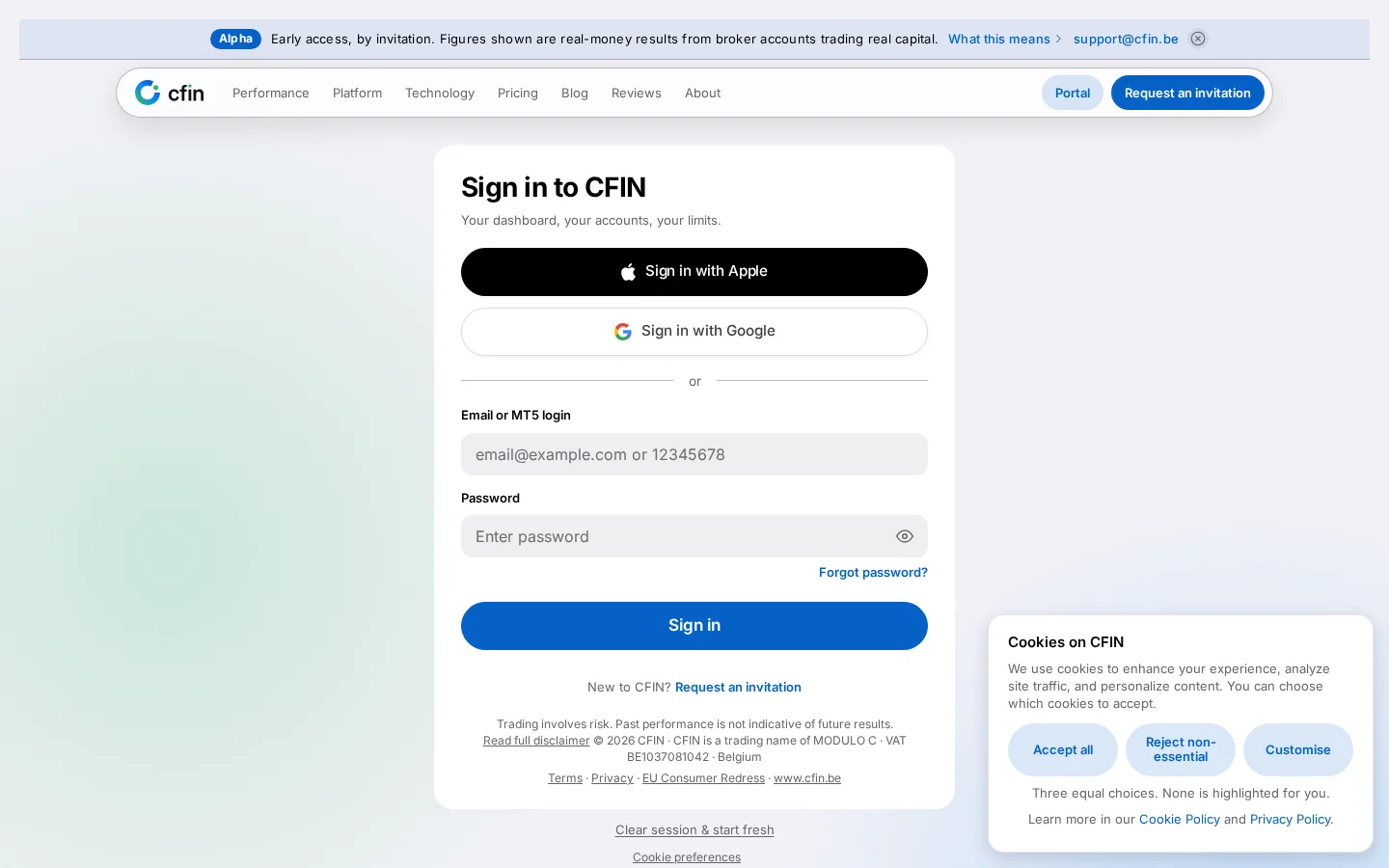
A quiet link sits at the bottom of the sign-in screen: “Clear session & start fresh”. It exists for one specific, fairly rare situation — a redirect loop, where your browser keeps bouncing between pages and you can never quite land on a working sign-in screen — but it is worth understanding what it actually does, since it is a more thorough action than its small size on the page might suggest.




What it actually does
Selecting it is a sign-out like any other: your session token is revoked on the server, not only deleted as a cookie in the browser you are using. That distinction matters. Deleting only a local cookie would leave the underlying token itself still valid — for up to its normal lifetime — for any other copy of it that existed, which is not the clean result the link's name implies.
When to reach for it
- Your browser is stuck in a redirect loop between the dashboard and the sign-in screen, and a normal sign-out or reload is not breaking the cycle.
- You want to be certain a session is fully ended, on the server as well as in this browser, before handing a device to someone else or stepping away from a shared computer.
A related control: resetting cookies
A second, separate emergency control — reset cookies — exists for a different failure mode: a browser that has accumulated so many cookies that requests start failing with a “request header fields too large” error. That control expires every cookie your browser is holding for the site, which is a blunter, broader action than clearing one session, and is specifically for that narrower error rather than a general everyday tool.
What it is not
It is not a way to switch accounts while keeping anything from the previous session, and it is not something you need to use routinely — an ordinary sign-out from inside the dashboard covers the normal case. It is specifically the recovery option for when the normal sign-in or sign-out flow has itself stopped working.
Why a redirect loop happens at all
A redirect loop on a sign-in screen typically comes down to the browser and the server disagreeing about whether a valid session exists — the server sends you to the dashboard, the dashboard decides you are not actually signed in and sends you back to sign in, and the cycle repeats. A stale or partially corrupted cookie is a common cause. Reloading the page does not help, because the same disagreement is still there on the next request; what actually breaks the cycle is removing the thing both sides disagree about, which is exactly what this link does.
Confirmed before it acts
Because the action is irreversible for the current session, selecting the link shows a short confirmation step first rather than acting the instant it is clicked — the same pattern used for the other emergency recovery controls on the sign-in screen. Only once that is confirmed does the session actually get revoked and the cookie deleted, after which you land back on a fresh sign-in screen ready to start again.
A plain link, by design
The link sits at the bottom of the sign-in card in plain text rather than styled as a prominent button, which is deliberate: it is a recovery option for a specific, fairly rare situation, not a control most visitors should notice or need on an ordinary visit. Giving it the same visual weight as Sign in or Request an invitation would risk it being selected by mistake, for a situation most people signing in will never actually encounter.
How to use it
- Go to the sign-in screen at trade.cfin.be/login.
- Scroll to the bottom of the card.
- Select “Clear session & start fresh”.
- You will be returned to a fresh sign-in screen, with the previous session fully revoked.